![problems [solved]](https://problemssolved.de/wp-content/uploads/2025/03/solved_logo.png)
I can just copy and paste, right? Right?!?
Unfortunately, no. To copy media from one project to another, you have to take an intermediate step that is not necessarily obvious.
Here is the procedure:
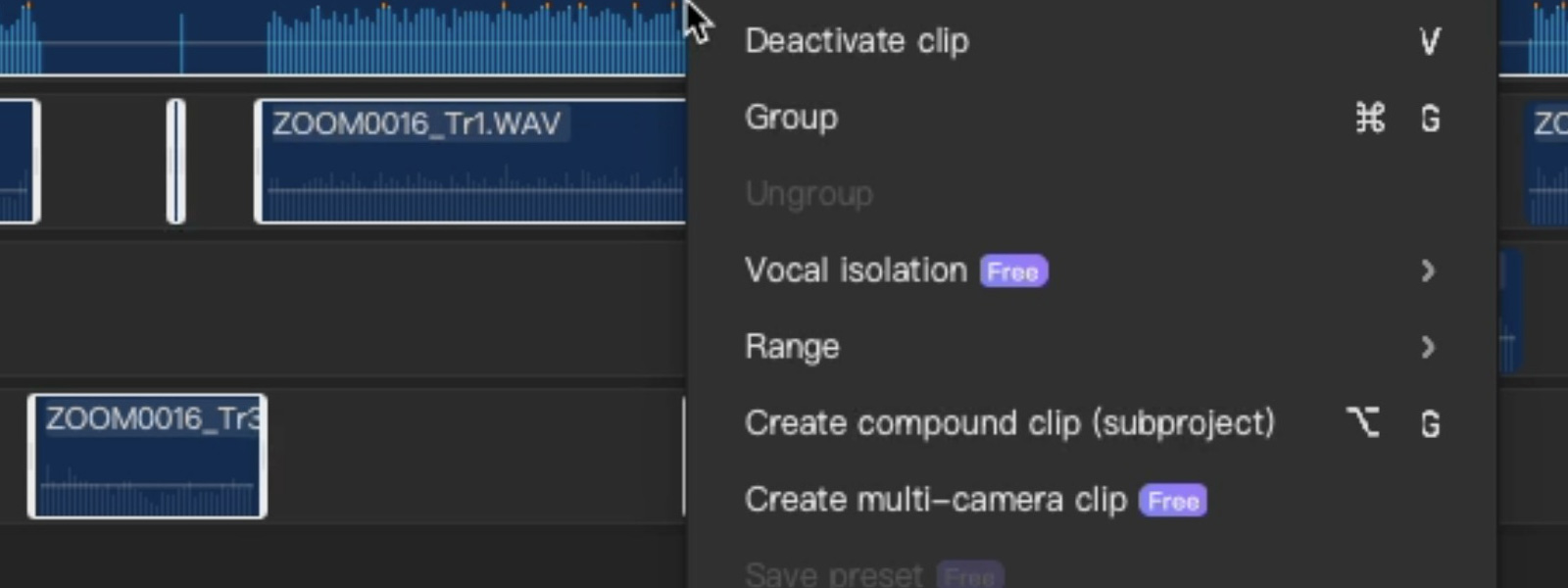
Open the context menu (right-click on the desktop) and select:
Create compound clip (subproject)
Select the compound clip, open the context menu again (right-click on the desktop) and select: Save preset
Once you have done this, switch to your other project.
Insert the content into your new project via Media -> Yours -> Your presets -> select the preset
If necessary: Use Undo compound clip via the context menu to have all individual content in the project.
I hope this has helped you. If you have any updates or additions to this, please let me know.