![problems [solved]](https://problemssolved.de/wp-content/uploads/2025/03/solved_logo.png)
It wasn’t really a big deal, but in the end, it took me quite some time to create a fillable PDF from a Google document as easily and automatically as possible. I used Adobe Acrobat Pro for this. There are certainly comparable methods with other PDF programs.
1. In Google Doc
Adobe Acrobat Pro recognizes two main things that should be created in Google Doc for automatic form creation:
empty table fields
underscores __
Both are usually recognized as fillable objects.
When the document is ready -> Download as PDF
2. In Adobe Acrobat Pro
Now open the PDF with Adobe Acrobat Pro.
Next:
Tools -> Prepare Form
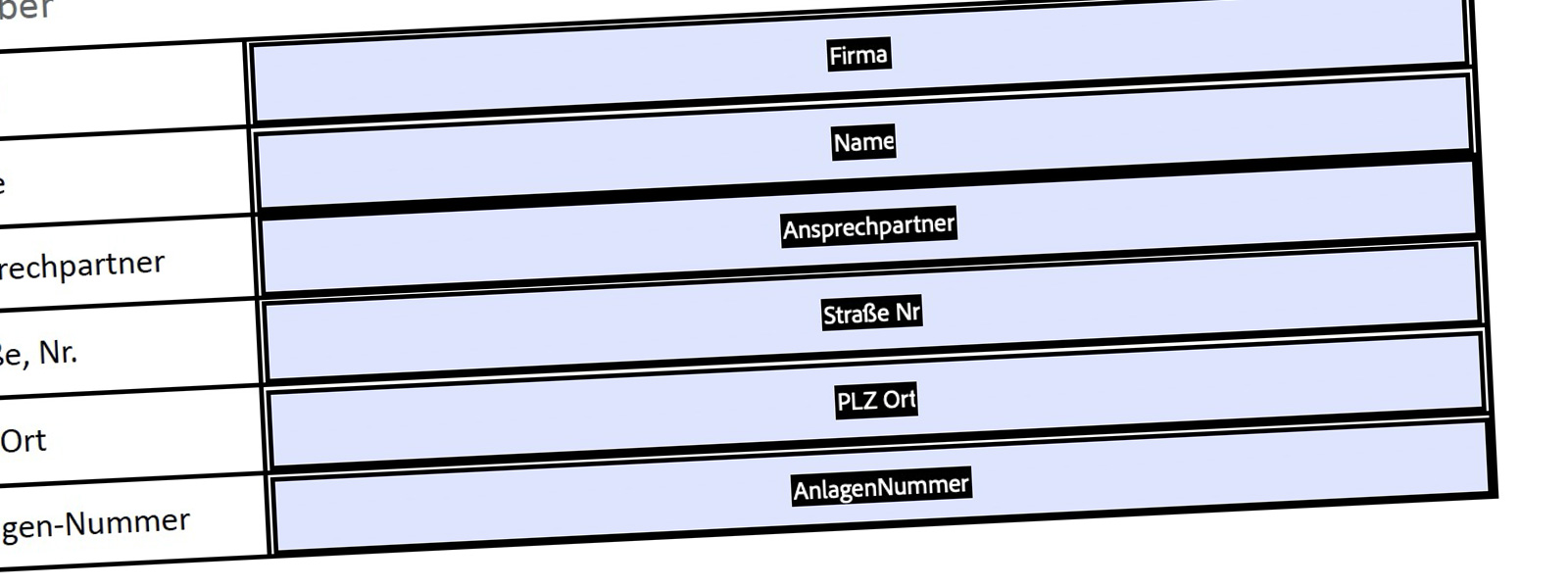
After a quick scan of the document, you should now see the prepared fields in the open PDF, which you can now customize as needed.
If not everything has been recognized, you can also add missing fields or remove fields that you don’t need.
I hope this has helped you. If you have any updates or additions to this, please let me know.